Photo Restoration Cost Guide: How Much to Charge Per Photo
What "one photo" really means (and why prices vary)
When someone asks for photo restoration, the "one photo" they bring in usually isn't one job—it's a bundle of cleanup, correction, and sometimes full reconstruction. A wedding picture from the 1960s with deep cracks, heavy fading, and dust buildup takes dramatically longer than a lightly scuffed portrait.
That's why a photo restoration cost guide works best when you think in categories. Separate technical cleanup (scratches, dust, tears, contrast) from creative reconstruction (missing areas, deep discoloration, accurate face detail). The more an image is damaged beyond simple correction, the more you're paying for iteration time and quality control.
Photo restoration pricing tiers you can use immediately
These are practical baselines for photo restoration pricing in 2025. Adjust for turnaround speed, licensing needs, and how many approval rounds your client expects.
- Basic (light damage): $5–$15 per image. Minor scuffs, light fading, small spots. Usually one pass.
- Standard (medium damage): $15–$35 per image. Moderate scratches, water stains, grain, poor contrast. Usually two passes.
- Advanced (heavy damage): $35–$80+ per image. Large tears, fused layers, major face reconstruction. Multiple revisions.
- Colorization add-on: +$10–$30 per image, depending on available reference material.
- Upscale/enhancement add-on: +$5–$20 per image for low-res to HD or Ultra HD results.
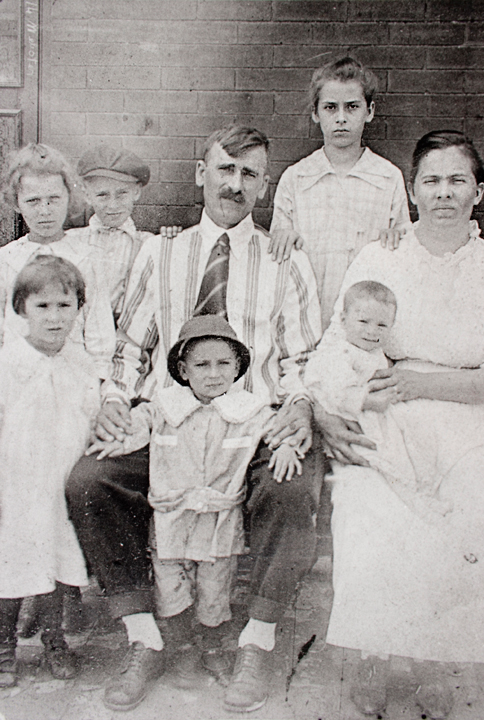
Before Restoration
Faded, grainy, and deteriorated vintage photo

After RestoreGram
Vibrant, clear, and beautifully restored
How to calculate restoration pricing per image
Ground your pricing in time and risk. Start with an estimated hourly rate (including admin and revisions), then apply a complexity multiplier based on damage severity.
Formula: (Estimated hours × hourly rate) × complexity multiplier + add-ons.
- Estimated hours: 0.25–0.75h basic, 0.75–1.5h standard, 1.5–3h advanced.
- Complexity multiplier: 1.0× light, 1.5× medium, 2.0–3.0× heavy. Increase if faces are partially missing or layers are fused together.
- Revisions: Include one round free, then charge for extras. Clients often need guidance on what "done" looks like.
If you use AI workflows like RestoreGram, still bill for quality control: checking eye alignment, skin-tone consistency, and whether restored details hold up at the intended print size. Studios protect margins by treating AI output as a draft that still needs to become a client-ready deliverable.
Client workflow: reduce refunds, speed approvals
Ask context before you quote. "Framed print, family album, or social media?" changes output size, sharpness targets, and how much cleanup is truly necessary.
Deliver a high-quality master file plus a resized proof for fast review. After restoration, you may need to resize the image for print, and for previews you can compress the file so it's simple to approve and share. If you watermark proofs, a photo watermark lets clients approve safely before you export the final.
Colorization, licensing, and volume pricing
Colorization is rarely "restore + tint." Matching uniforms, wedding attire, or regional skin tones means extra reference checks and another approval cycle. Treat it as its own line item in your photo restoration cost guide.
For volume clients (studios, schools, genealogy services), discount the per-image rate only when the workflow is consistent and damage levels are similar. A mixed batch should still be priced by tier—otherwise the easy images subsidize the hard ones.
A good photo restoration cost guide isn't about landing on one magic number. It's about charging for what's actually happening in the pixels: cleanup time, reconstruction risk, and the rounds needed to deliver something a client can confidently frame. Whether you start with AI through RestoreGram or work entirely by hand, the pricing should reflect the final result—not just the first pass.