AI vs Manual Photo Restoration: Cost, Quality, Speed (2026)
What "restoration" actually means in 2026
Open a box of family photos and you'll find the same damage stacked in every image: creases splitting faces, fading that turns skin tones gray, scratches cutting through backgrounds, dust, and film grain. Manual retouching addresses each problem separately—mask by mask, sample by sample, pass by pass.
AI photo restoration is built to repair that whole stack at once. Modern tools reduce scratches, remove dust and debris, rebalance contrast and discoloration, smooth tears, and lessen water staining in a single workflow. That's why AI vs manual photo restoration is less about "which looks better" and more about consistency, speed, and throughput—especially when you're restoring batches.
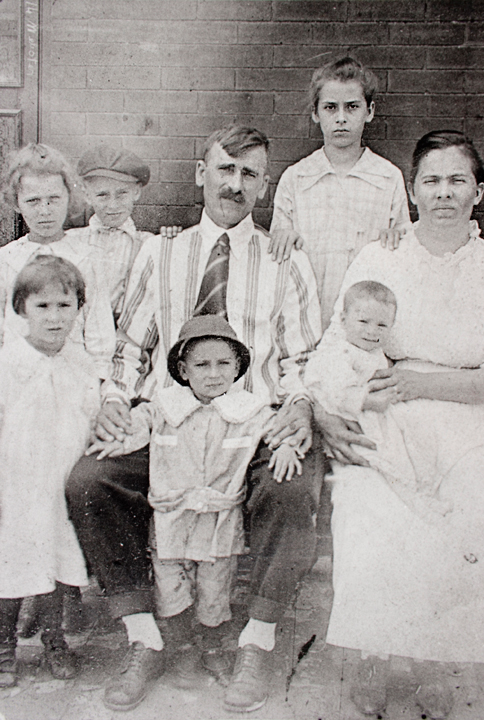
Before Restoration
Faded, grainy, and deteriorated vintage photo
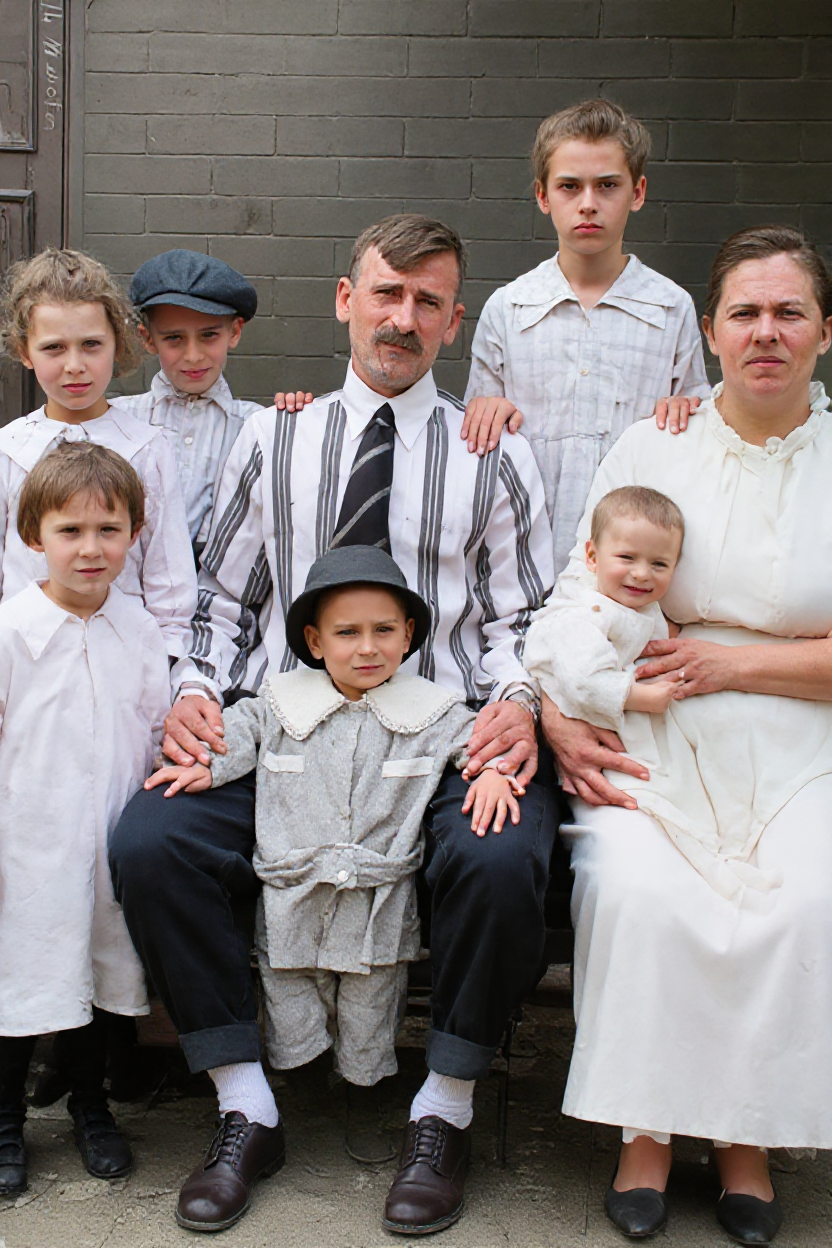
After RestoreGram
Vibrant, clear, and beautifully restored
Cost and speed: manual hours vs AI minutes
Manual retouching is slow because you're working around the damage—cloning, masking, sampling, repeating. A 1978 portrait with scratches, grain, and blown contrast can eat an hour before faces even look natural. Multiply that across a batch and the timeline stretches fast.
With AI restoration, the workflow flips: upload, restore, review. RestoreGram is designed for exactly that handoff. You upload a damaged photo, generate a restored version, and download the result in seconds—then spend your time on light quality checks instead of starting from zero. For studios, that means faster turnaround without turning restoration into an overnight project.
Quality: where AI wins, and where Photoshop still matters
AI restoration excels at global repair: removing scratches without making skin look plastic, restoring continuity across tears, and correcting fading in one pass. In the AI photo restoration vs Photoshop comparison, the practical difference is that AI recovers missing or ruined photo information, while Photoshop shines for targeted creative control.
But manual retouching vs AI restoration isn't about replacing human judgment entirely. Photoshop still matters when a client wants precise changes beyond damage repair—adjusting composition, replacing objects, matching a specific historical color palette, or building complex composites.
Planning to add colorization? Standardize your process first. Follow how to colorize black-and-white photos so lighting and skin tones stay consistent across an entire batch—not just the best frame.
When to use AI restoration
Reach for AI when you need clean, believable recovery: a 1965 wedding photo cracked across both faces, a grandparent portrait buried under dust and grain, a scanned 8mm still with water staining. These are the cases where AI photo restoration vs Photoshop becomes obvious—AI delivers a solid baseline across many images, fast.
Sell restoration by time saved, not just the final picture. A simple tiering approach works: charge for cleanup and enhancement, then offer a separate tier for creative composites or deep rework.
The most honest answer to AI vs manual photo restoration is a blend: let AI recover missing information and handle the baseline repair in seconds, then apply manual skill when the client's goals go beyond fixing damage. That's the workflow helping studios deliver faster in 2026—while keeping results trustworthy for the family who owns the memories.