Best AI Photo Restoration Tool: Studio Selection Guide 2025
Start with real studio problems, not marketing claims
Most teams aren't asking whether an AI photo restoration tool can restore photos. They're asking whether it fixes the same damage they see every week — consistently. Cracked faces that need clean repair. Faded uniforms where contrast has to come back. Scans buried under dust and grain that shouldn't turn waxy.
Before you test anything, list what your clients actually bring in: black-and-white prints that need color, scratches from photo albums, water stains, heavy low-light noise, low-res phone captures. That list becomes your acceptance checklist.
What "best" means in a studio: quality, consistency, speed
Look for believable skin tones, crisp edges, and readable text on documents. If you're restoring 20 photos for one client, the set should match. One impressive image alongside nineteen over-smoothed ones isn't "better" — it's unusable. The best AI photo restoration tool is the one you can repeat with the same look, in minutes.
Speed affects capacity as much as model quality. If your promise is same-day delivery, processing time and upload friction determine whether you can take more work. RestoreGram handles fast restores on mobile, so field photographers and small studios can deliver restored previews quickly, then refine for print.
Studio workflow checklist: intake to delivery
Workflow is where ROI shows. Start with intake: collect the highest-resolution scan the client can provide, plus notes like "keep uniforms accurate" or "match grandmother's complexion." Run AI restoration, then do a quick human QC pass — check eyes, inspect seam lines on folds, verify clothing patterns that AI might blur.
After restoration, prepare files for their destination. Many studios resize for frames and social posts, then compress for email delivery. Use the image resizer to hit the client's print dimensions, and the image compressor to keep emails from bouncing.
Export proof files small with compression, then reserve full-resolution downloads for final print orders.
Colorization and enhancement should be predictable
If you sell add-ons, test your pipeline end-to-end. Use our colorization guide as a reference for expected results, then confirm hair, eyes, and uniforms match the specific eras your clients request. Enhancement should reduce grain without inventing artifacts — especially on faces and official documents.
Most teams want one workflow, not a toolbox. RestoreGram supports colorization and HD enhancement together, so studios can handle restoration, enhancement, and preview delivery in a single app instead of juggling three.
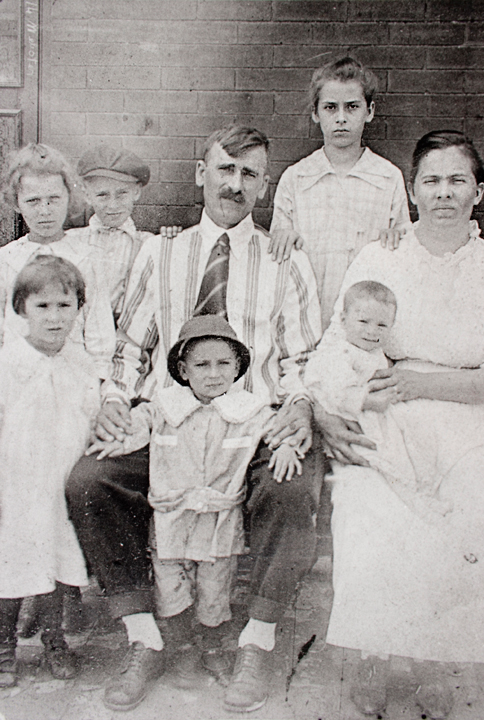
Before Restoration
Faded, grainy, and deteriorated vintage photo

After RestoreGram
Vibrant, clear, and beautifully restored
Pricing: match a plan to your client volume
Choose a plan based on monthly volume and how you package services — restoration-only, restoration plus colorization, or the full suite. RestoreGram starts at $0.99 (Starter: 5 restorations), Pro at $5.99 (20 restorations), and Max at $39.99 (200 restorations, all future AI features, and commercial use). That last detail matters when restored results go into paid client deliverables.
If you're still building your preservation process, pair restoration with our guide on preserving old family photos so clients know how to protect originals after you create restored copies.
When you evaluate an AI photo restoration tool, prioritize repeatable outcomes: consistent face repair, believable colorization, predictable enhancement, and a workflow that delivers polished files fast. The best tool is the one that matches your studio's reality — then lets your process scale from single albums to archival projects without turning QC into a full-time job.